Upload Complaint Documents
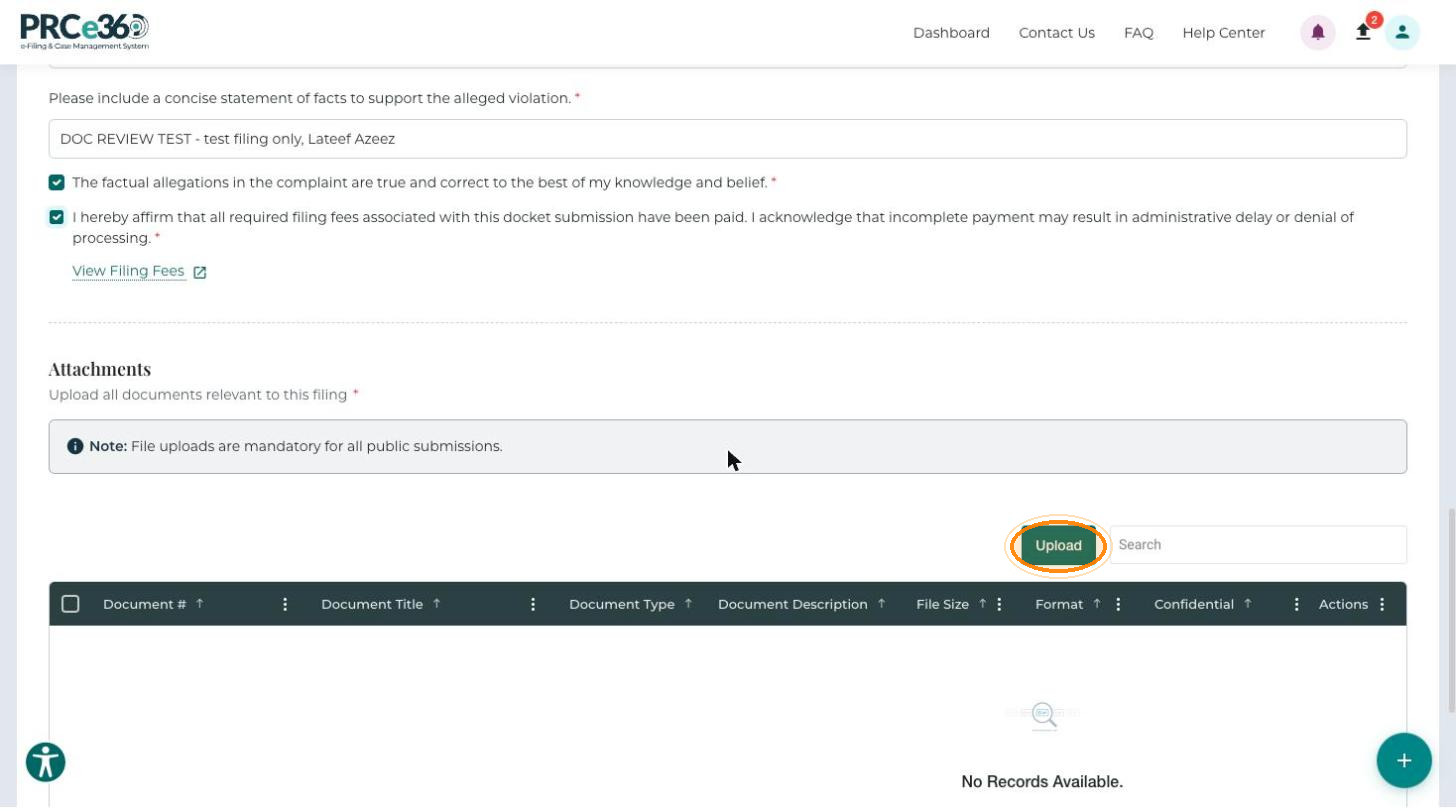
Attach the documents that support your complaint in the Attachments section of the form. File uploads are mandatory for all public submissions, so you must upload at least one document before you can submit.
- Complete the complaint questions. See Complete the Complaint Form.
- Have your files ready. Give each file a descriptive name using letters, numbers, hyphens and underscores only, for example
Power_Outage_Bill_Jan2024.pdf.
Upload a Document
-
In the Attachments section, click Upload. The Upload Document window opens.
-
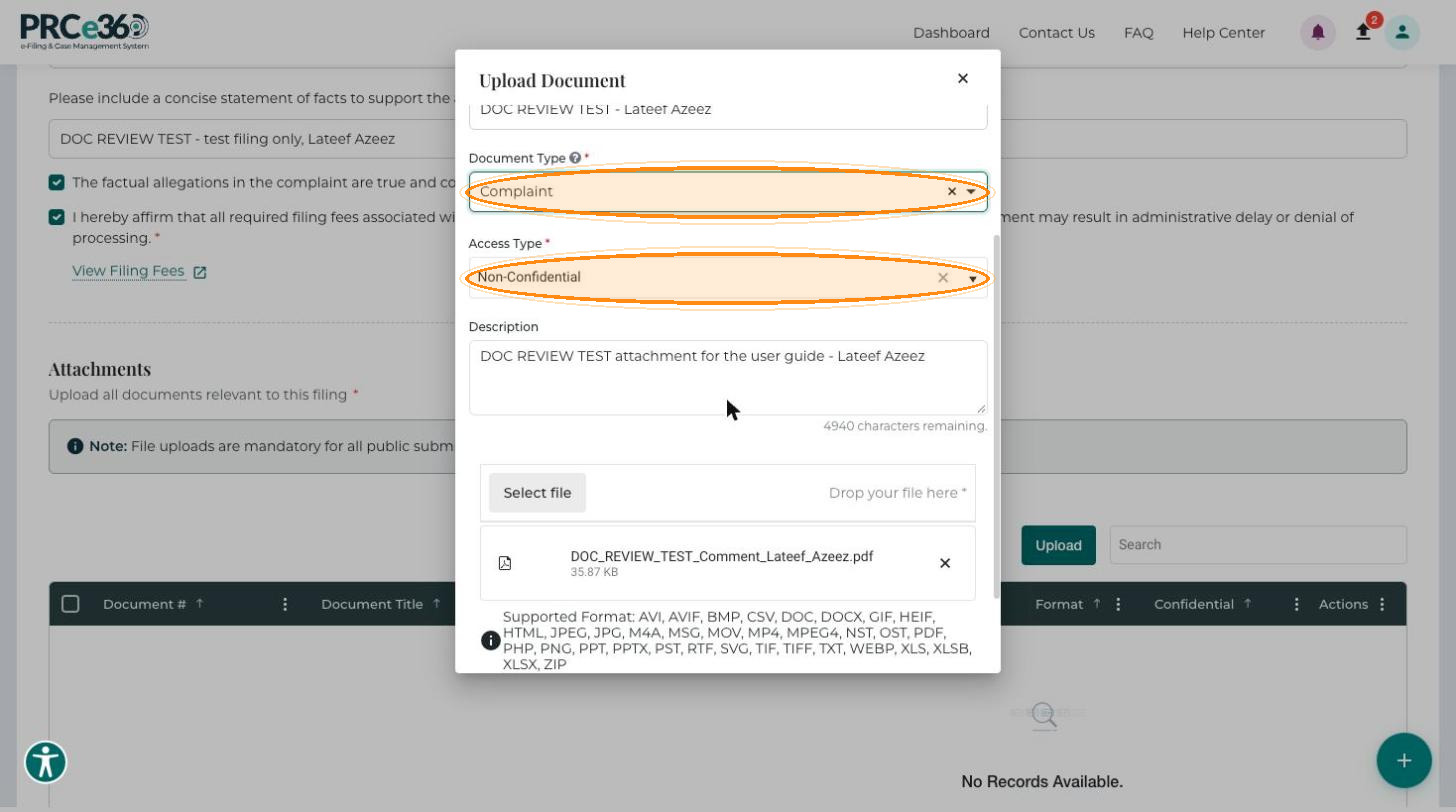
Enter a clear, descriptive Document Title.
-
Select the Document Type, for example Complaint, Affidavit or Exhibit. Type in the list to filter it.
-
Choose the Access Type: Non-Confidential (public, the default) or Confidential (restricted).
-
Optionally, enter a Description that briefly explains what the document shows.
-
Click Select file to browse, or drag the file onto Drop your file here.
-
Click Save to add the document, or Cancel to close the window without saving.
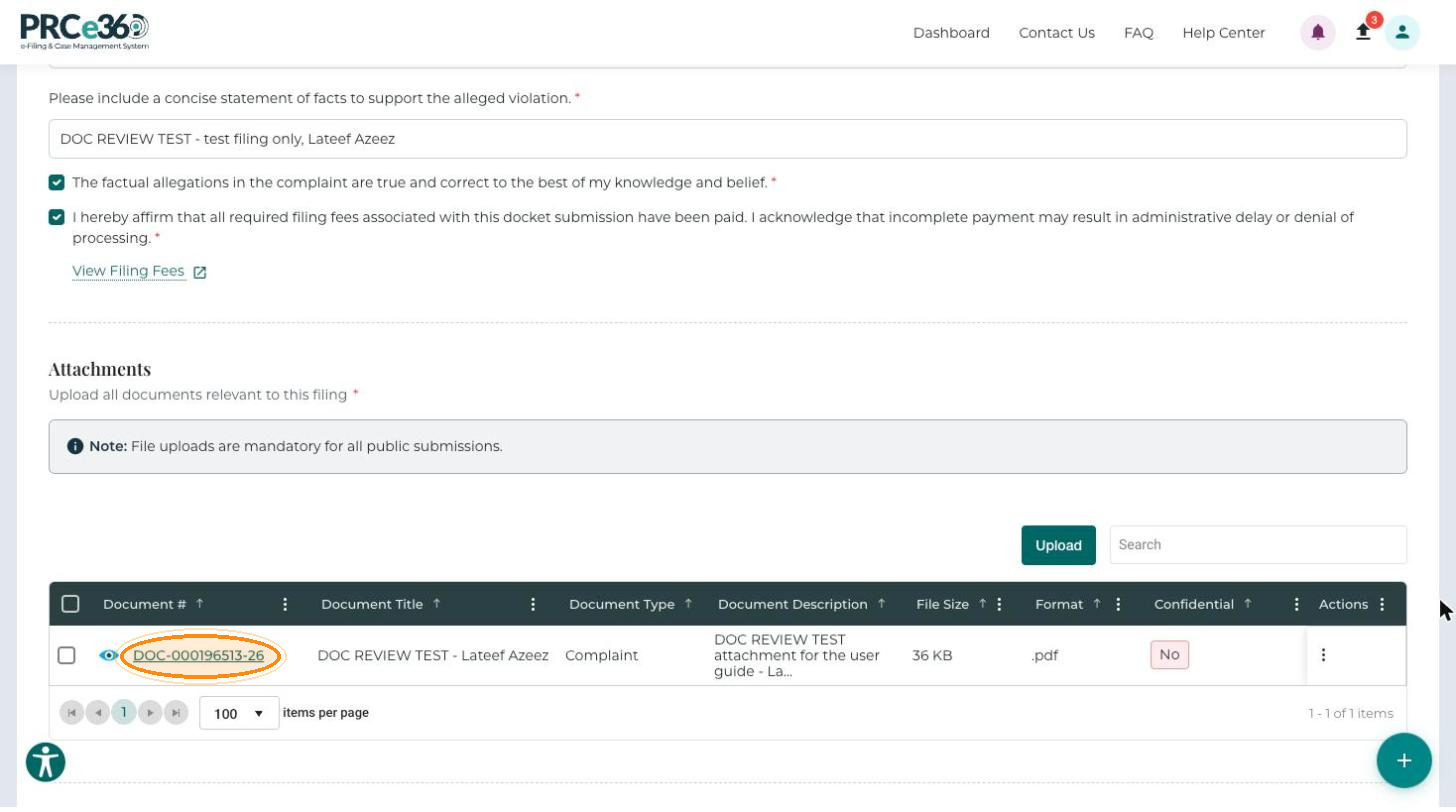
The document appears in the documents grid. Repeat the steps to upload each document separately.
- Document #
- Document Title
- Document Type
- Document Description
- File Size
- Format
- Confidential
- Actions
Click the eye icon next to a Document # to view the file. Use the row's Actions menu to Link related documents or Delete an entry.
If you upload documents that support your main document or pleading (testimony, affidavits and so on), link them to the main document. Failure to do so may result in rejection of your filing. Only PDF uploads receive a date and time stamp, so submit a document as a PDF if you want it stamped.
File Requirements
| Requirement | Details |
|---|---|
| Accepted formats | PDF, DOCX, XLSX, JPG, PNG |
| File size | Maximum 10-50 MB per file. Check the form for the exact limit. |
| File names | Descriptive, without special characters (letters, numbers, hyphens and underscores). |
| Multiple files | Upload each document separately. |
| Required documents | Vary by complaint type. Expand What documents should I attach? below the grid for guidance. |
Recommended Documents
- Bills or invoices showing the issue.
- Correspondence with the utility or company.
- Photos or other evidence of the problem.
- Account statements or service records.
- Previous complaint records, if applicable.
Give each document a clear title and a short description, organize documents chronologically where possible, and make sure every file is readable and not corrupted.