Complete the IPRA Form
The IPRA Request Form has three parts: the document format, the requester information and the request itself. Fields marked with * are required.
Open the form from Submit New > Submit an IPRA Request. See Open the IPRA Form.
Choose the Document Format
-
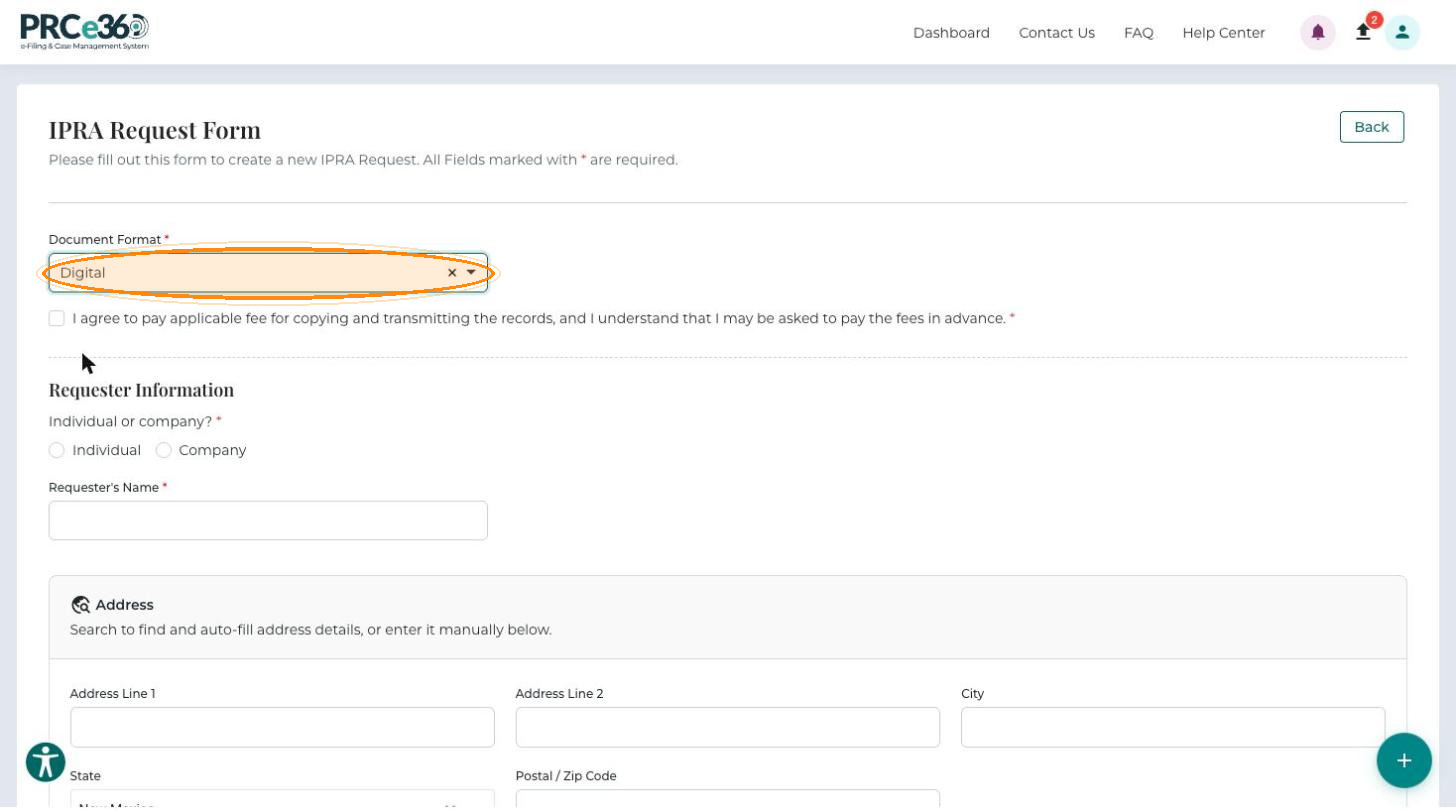
Select the Document Format:
- Digital – receive the records electronically.
- Printed – receive physical copies.
-
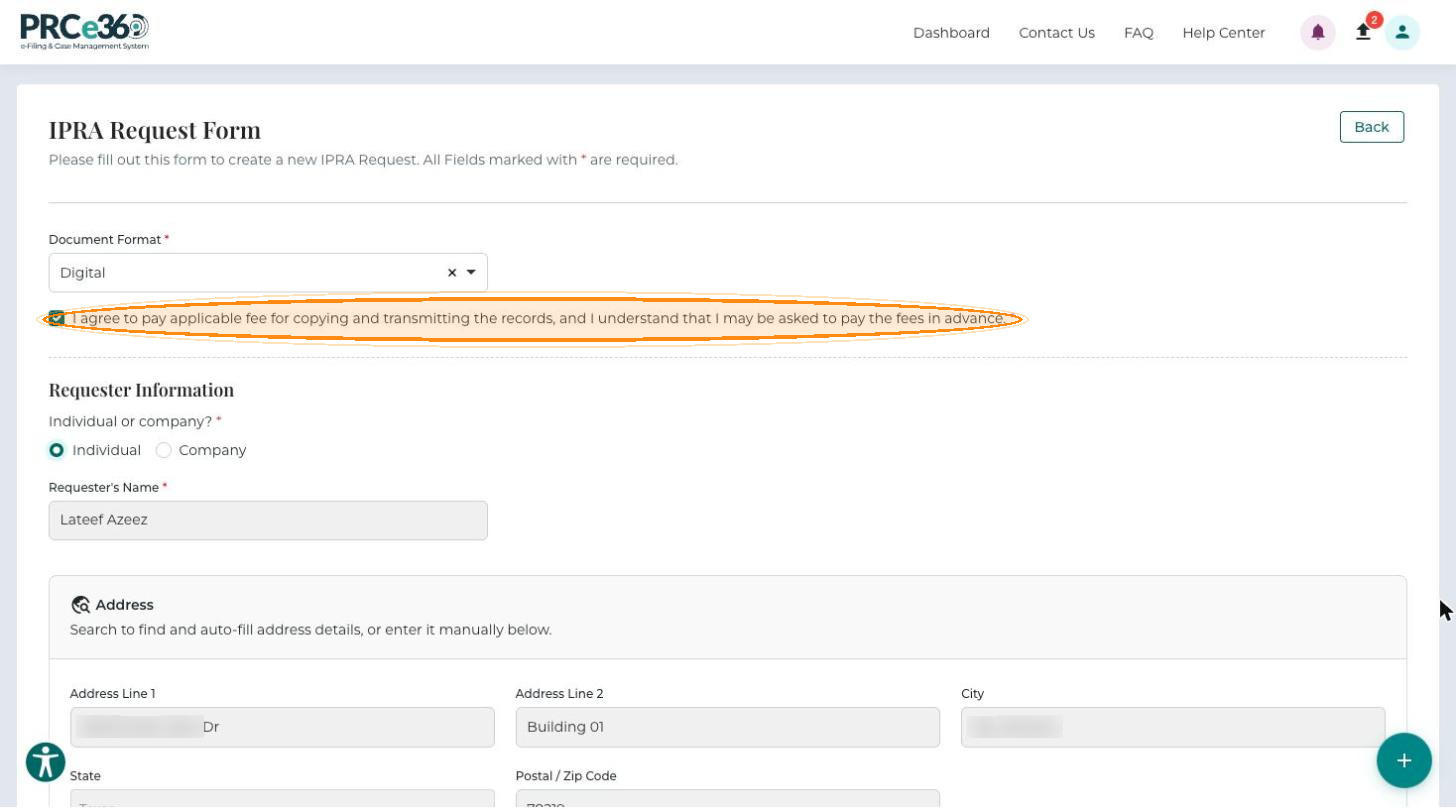
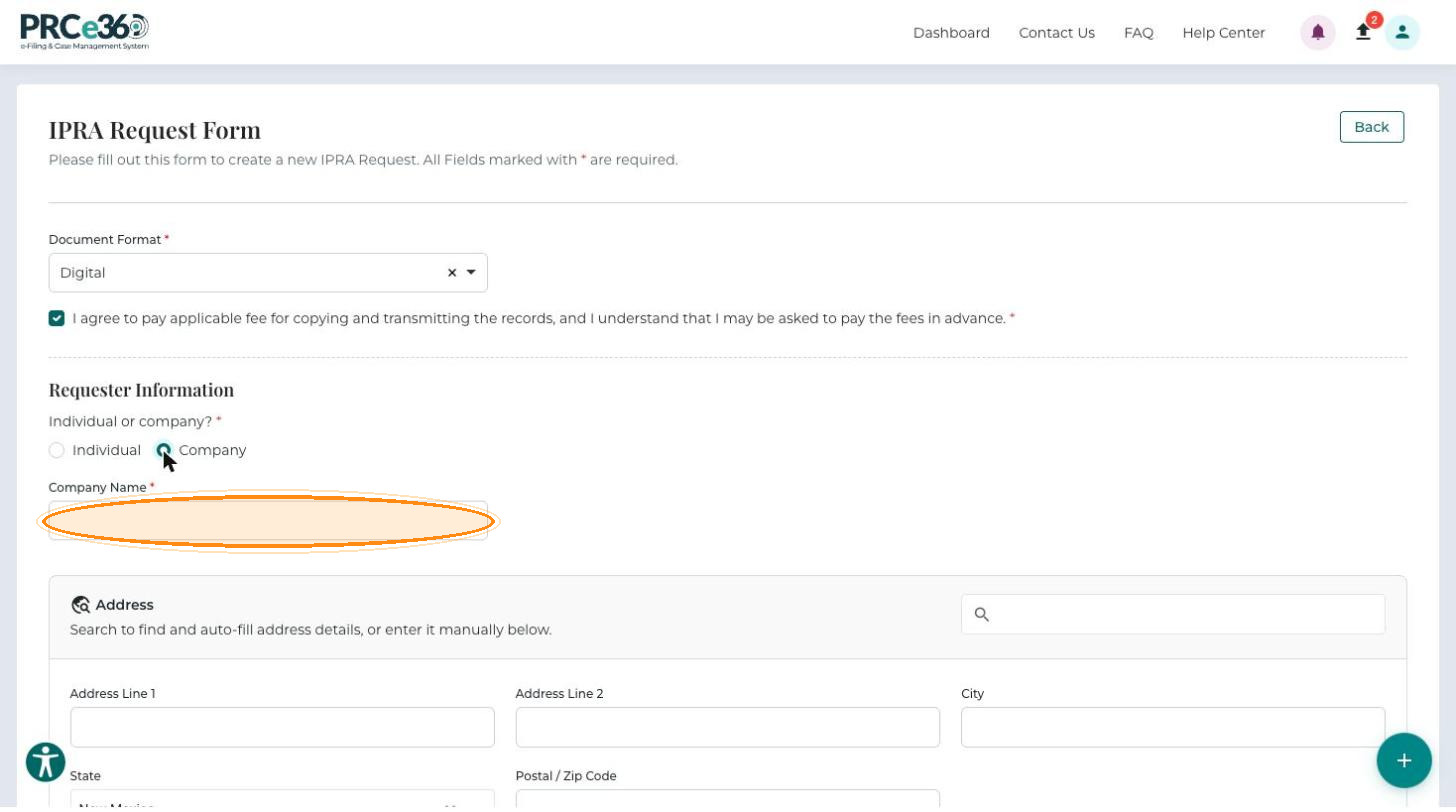
If you selected Digital, select the required checkbox I agree to pay applicable fee for copying and transmitting the records, and I understand that I may be asked to pay the fees in advance.
-
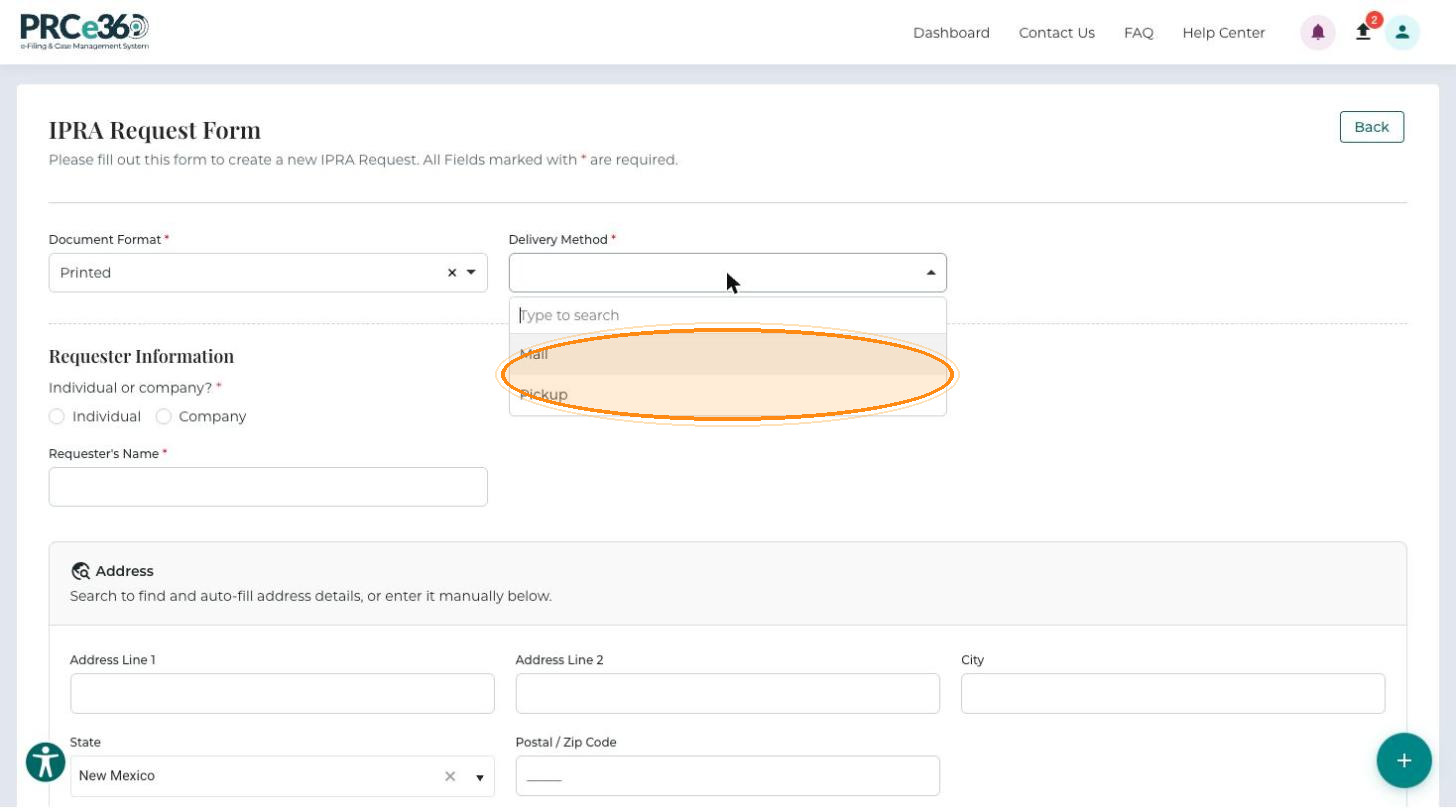
If you selected Printed, choose the Delivery Method (required). The fee agreement checkbox is not shown for printed copies.
- Mail – receive the printed copies by mail.
- Pickup – collect the printed documents in person.
Enter the Requester Information
Under Individual or company?, choose who the request is for.
Individual
-
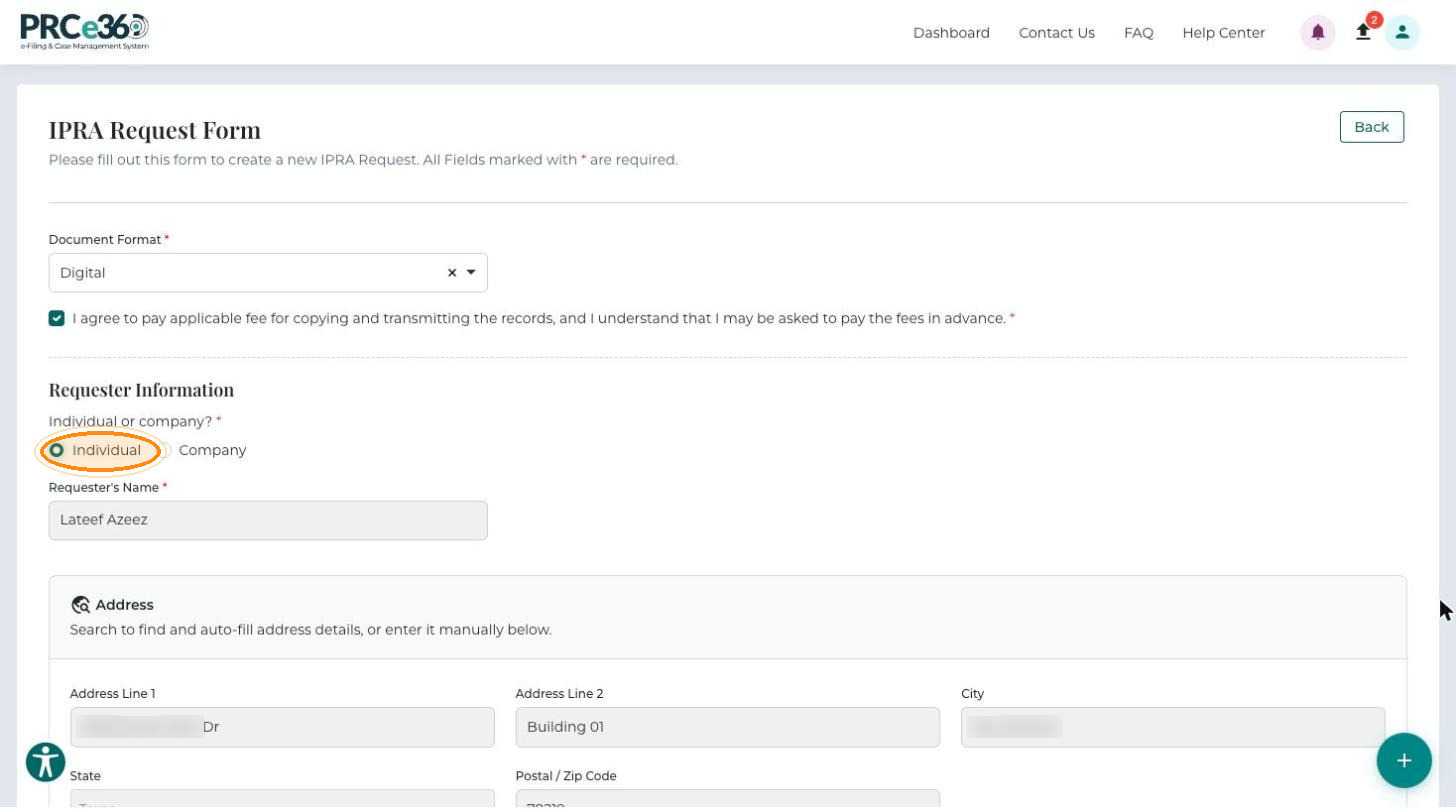
Select Individual.
-
Check your details. Requester's Name, the Address and the Contact details (Requester's Phone Number and Requester's Email) are filled in from your profile and cannot be changed here. To change them, update your profile first (see Update User Profile).
Company
-
Select Company to file the request on behalf of a business.
-
Enter the Company Name.
-
Enter the Address. Use the search box to find and auto-fill the address, or enter Address Line 1, Address Line 2, City, State and Postal / Zip Code manually.
-
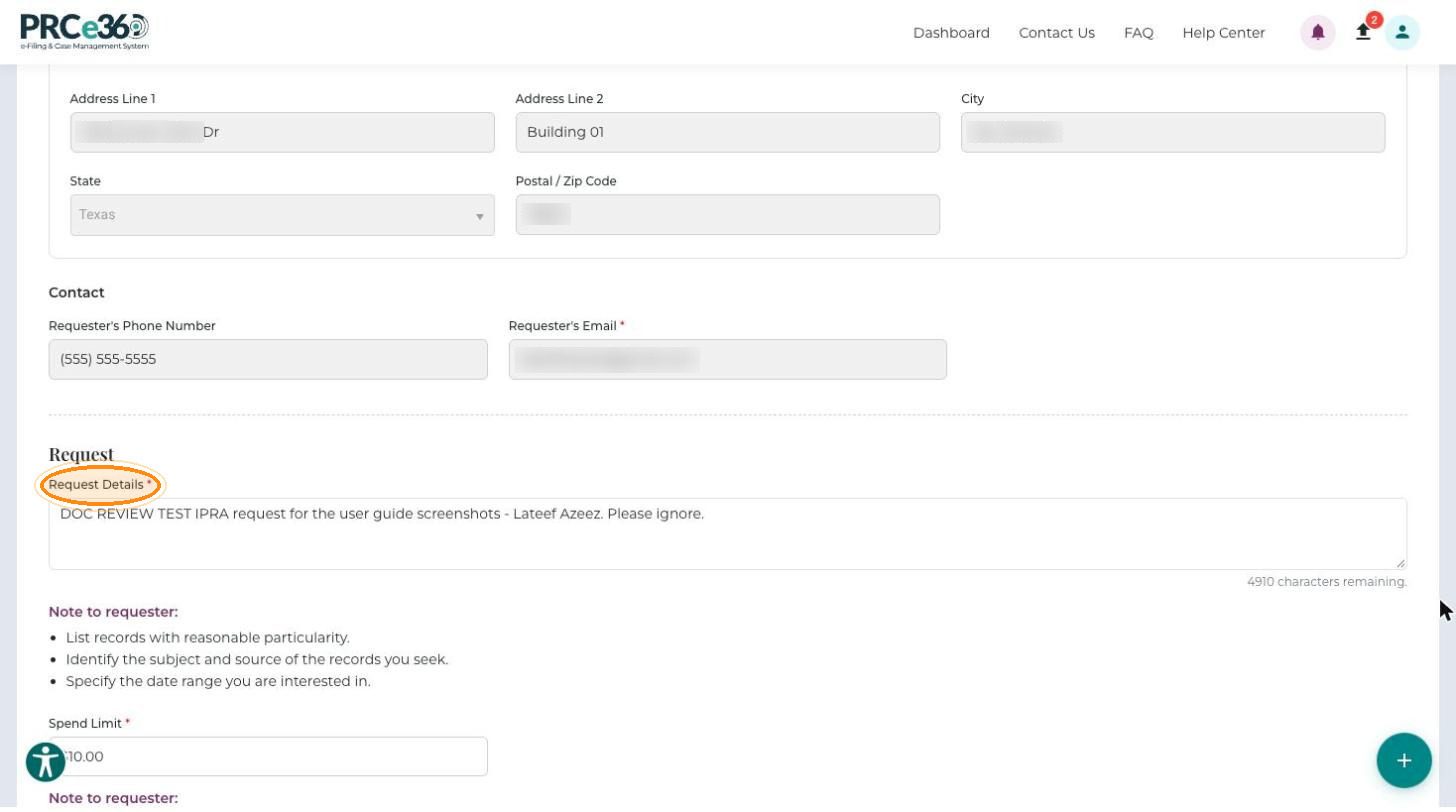
Enter the Requester's Phone Number and Requester's Email.
Describe the Request
-
In Request Details (up to 5,000 characters), describe the records you want. Follow the Note to requester under the field:
- List records with reasonable particularity.
- Identify the subject and source of the records you seek.
- Specify the date range you are interested in.
-
Enter the Spend Limit: the most you are willing to pay. If the charges will exceed this amount, you will be contacted. To see the current fee schedule for IPRA requests, click the here link under the field.
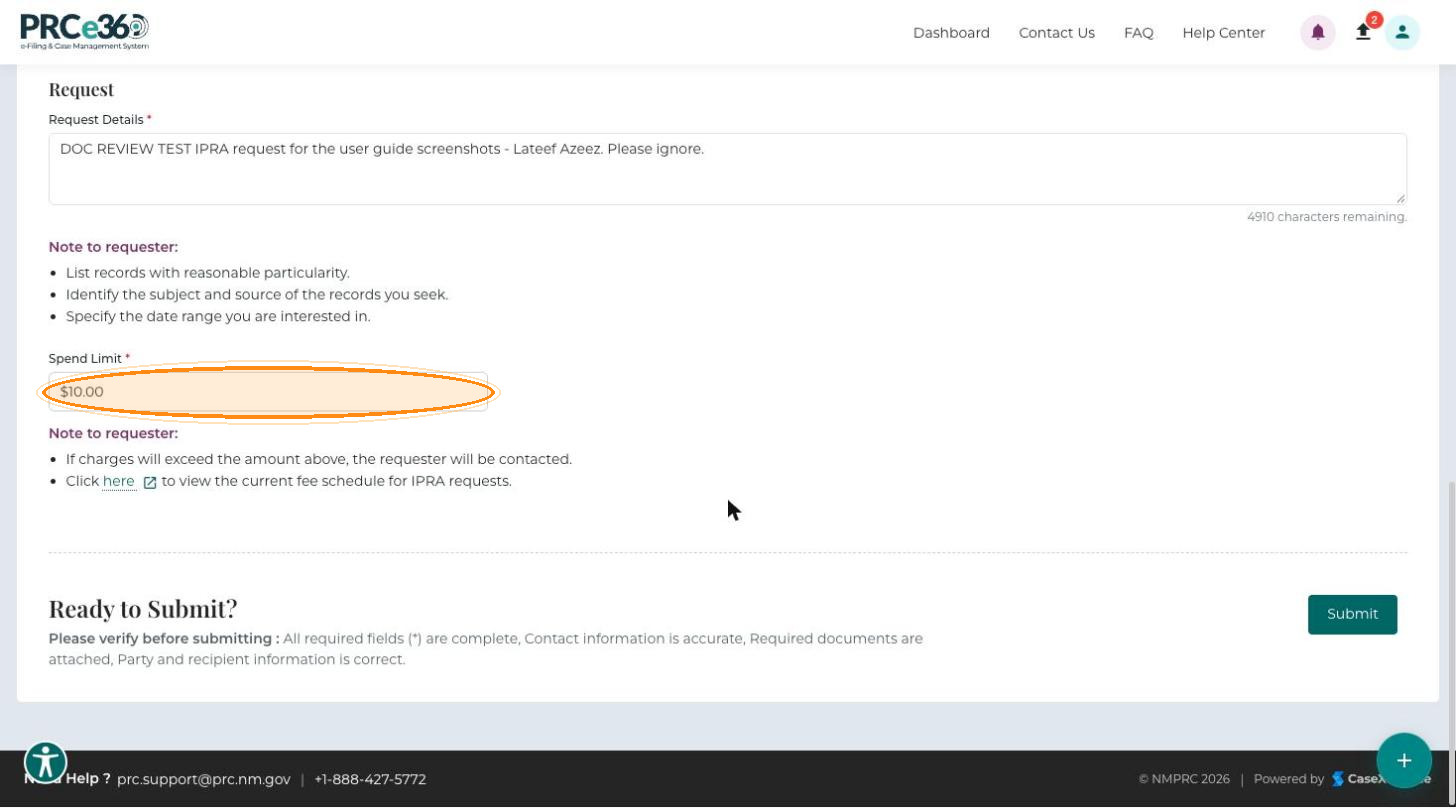
When the form is complete, submit your request.
Field Requirements
| Field | Required | Requirements |
|---|---|---|
| Document Format | Yes | Digital or Printed. |
| Fee agreement checkbox | Yes, for Digital | Must be selected. |
| Delivery Method | Yes, for Printed | Pickup or Mail. |
| Individual or company? | Yes | Individual or Company. |
| Requester's Name / Company Name | Yes | |
| Requester's Email | Yes | A valid email address (name@example.com). |
| Requester's Phone Number | No | Format (XXX) XXX-XXXX. |
| Address | No | A complete address including city, state and ZIP code. Include it when you request printed documents. |
| Request Details | Yes | As specific as possible: dates, document types and subject matter. |
| Spend Limit | Yes | The maximum amount you are willing to pay. |
Write an Effective Request
| Good request | Poor request |
|---|---|
| "All rate case filings and orders for docket numbers 23-00123, 23-00124, and 23-00125 from January 1, 2023 to December 31, 2023" | "All documents" (too broad) |
| "Correspondence between NMPRC staff and [Company Name] regarding [specific topic] from [date range]" | "Everything about utilities" (not specific) |
| "Rate cases" (missing dates and specifics) |
- Be specific about document types (filings, orders, correspondence and so on).
- Include date ranges and reference docket numbers where they apply.
- State the subject matter or topic.
- Combine requests for related documents into one request instead of making several separate requests.
- Avoid overly broad requests: they may be marked Broad and Burdensome.
Common Mistakes to Avoid
- Vague or overly broad requests – asking for "all documents", leaving out date ranges, or writing "I need some documents" instead of describing exactly what you need. Overly broad requests may be marked Broad and Burdensome.
- Wrong contact details – using an email address you do not check regularly (you will miss clarification requests), an incorrect phone number, or an incomplete mailing address when requesting printed documents by mail.
- Wrong format selection – choosing Printed when you want digital copies, or not choosing a Delivery Method for printed documents.
- Not responding to clarification requests – ignoring or delaying a response slows down processing. Check your spam folder for NMPRC emails.