Request Tier 2 Access
The Request Tier 2 Access feature allows a registered Tier 1 user to apply for upgraded access privileges.
Tier 2 access enables users to perform company-related filings and manage submissions within the Docket Management System.
1. Access Profile
After logging in, the Tier 1 user will land on their dashboard.
From the left-hand menu, click Profile to open the user profile page.
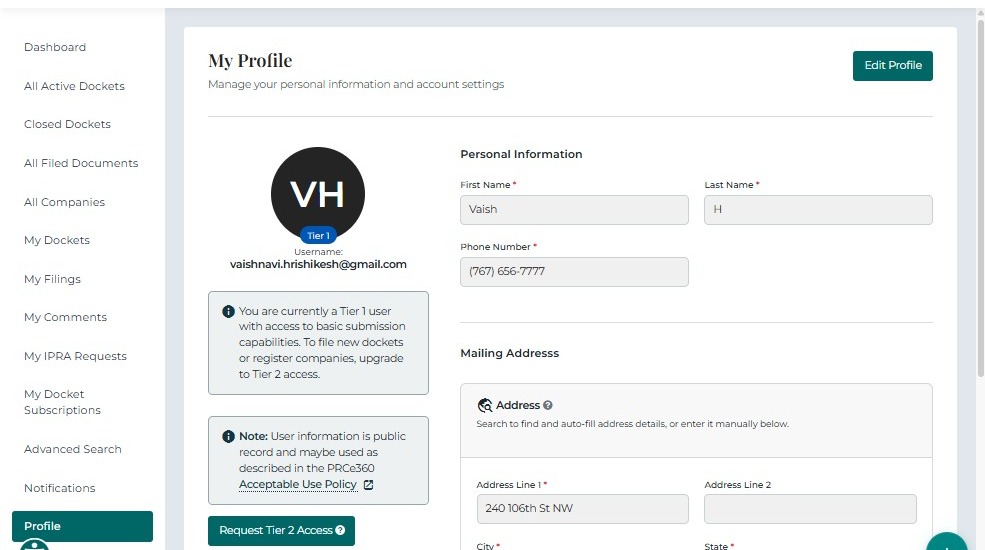
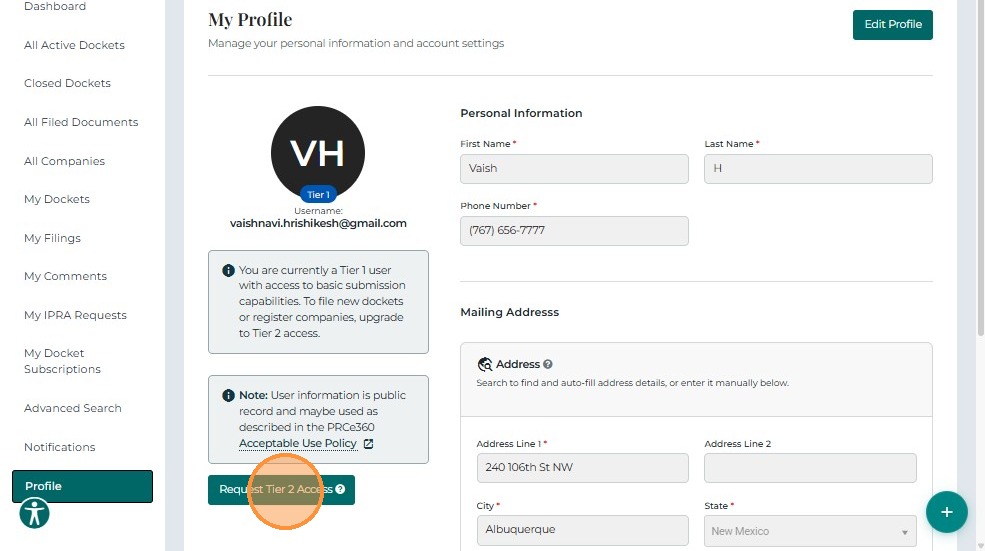
Click the Tier 2 Request button displayed on the profile page.
2. User Upgrade Form
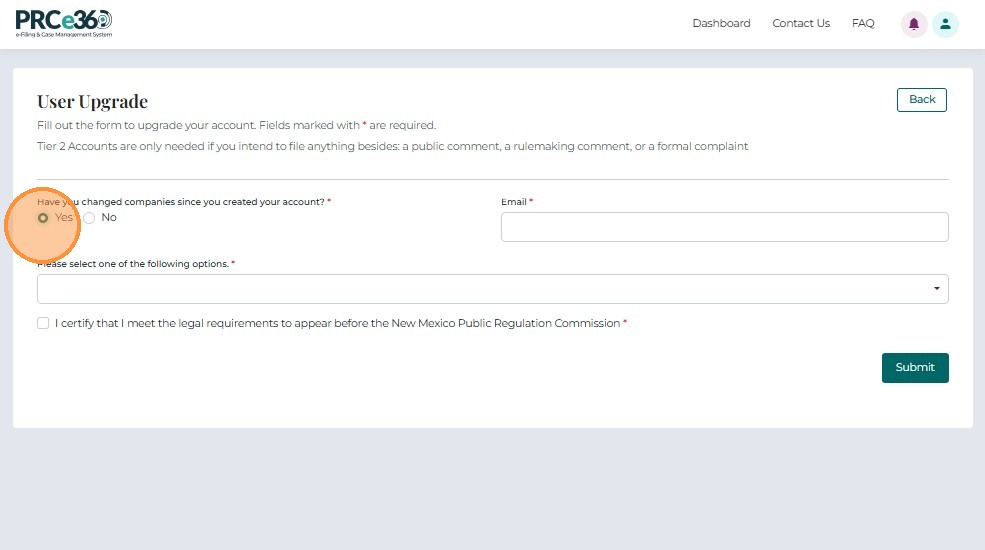
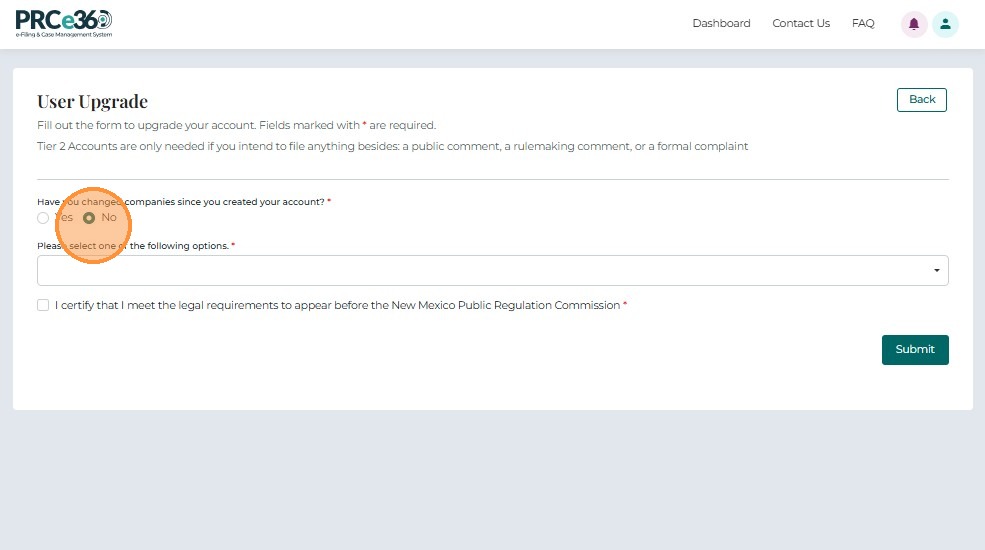
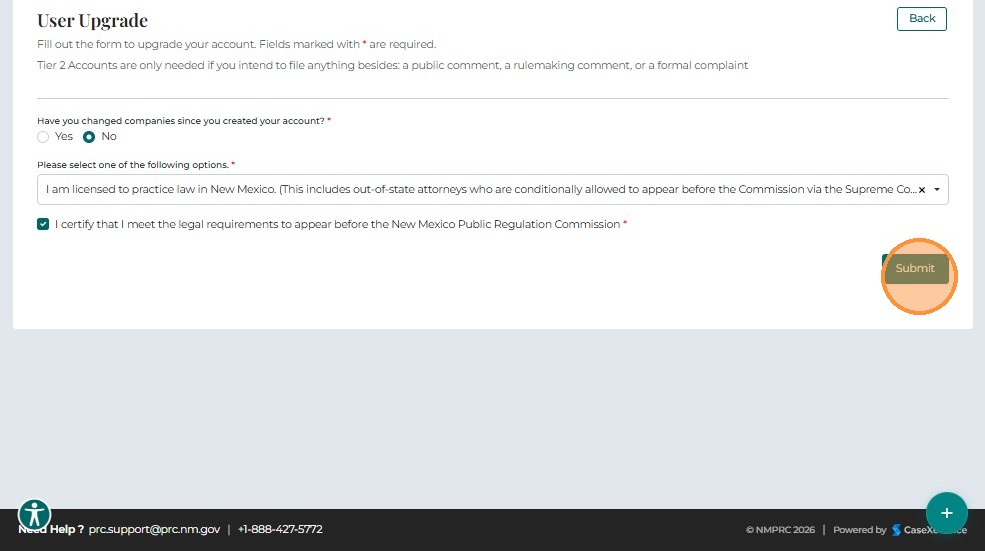
After clicking the Tier 2 Request button, the User Upgrade Form appears.
This form allows the user to provide details required to request Tier 2 access.
- Click Yes if the user has changed companies and enter new email id
- Click No if user has not changed company and continue with the form
3. Select Option
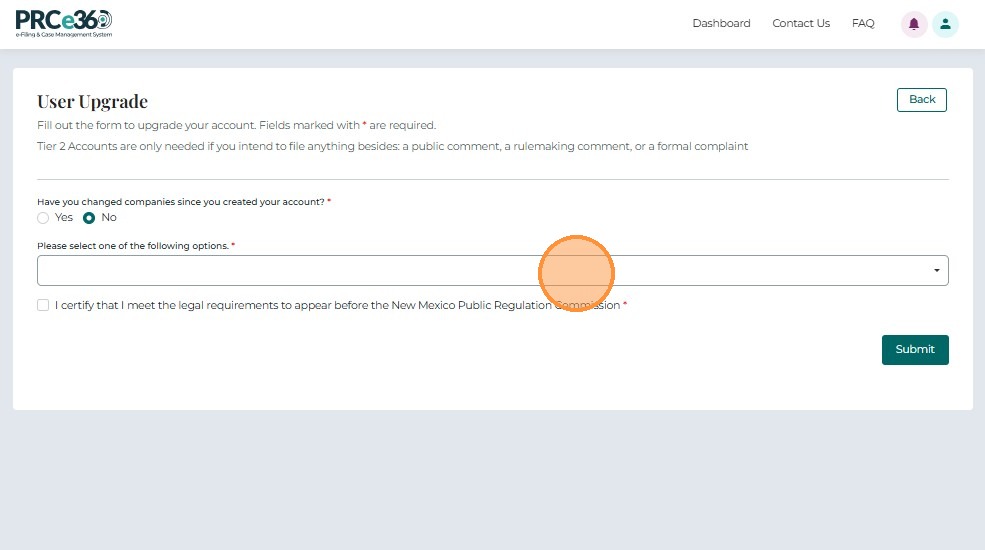
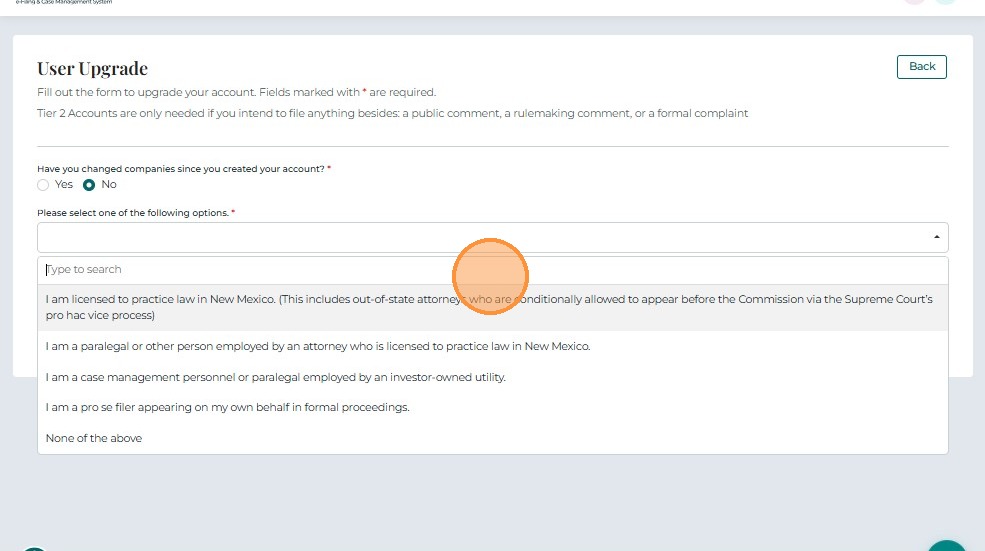
From the dropdown list, select the option that best describes the type of Tier 2 access being requested.
4. Submit Request
Check the confirmation box to verify that you meet the legal requirements to appear before the New Mexico Public Regulation Commission (NMPRC).
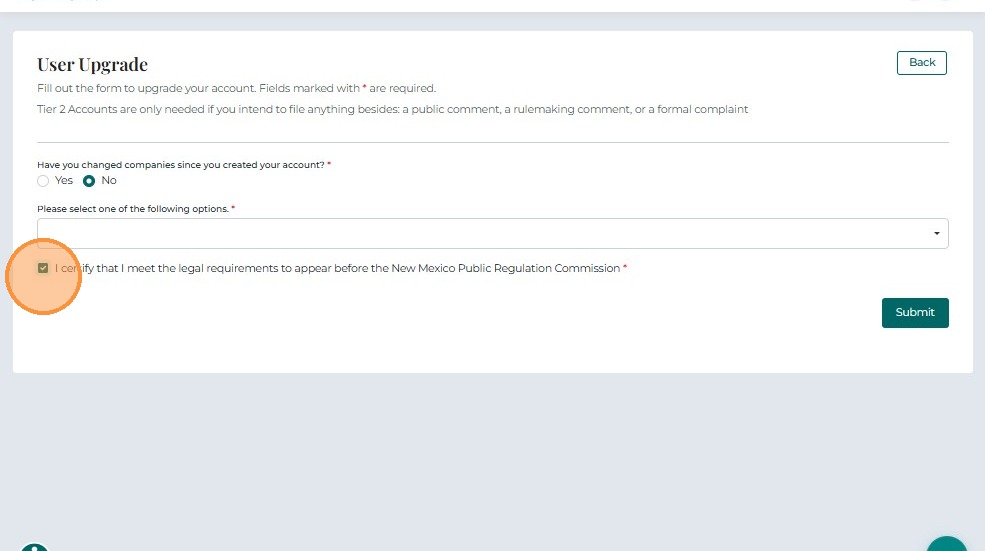
Click Submit to complete the request process.
5. Submission Confirmation
After submission, the request is routed to the Administrator for review and approval.
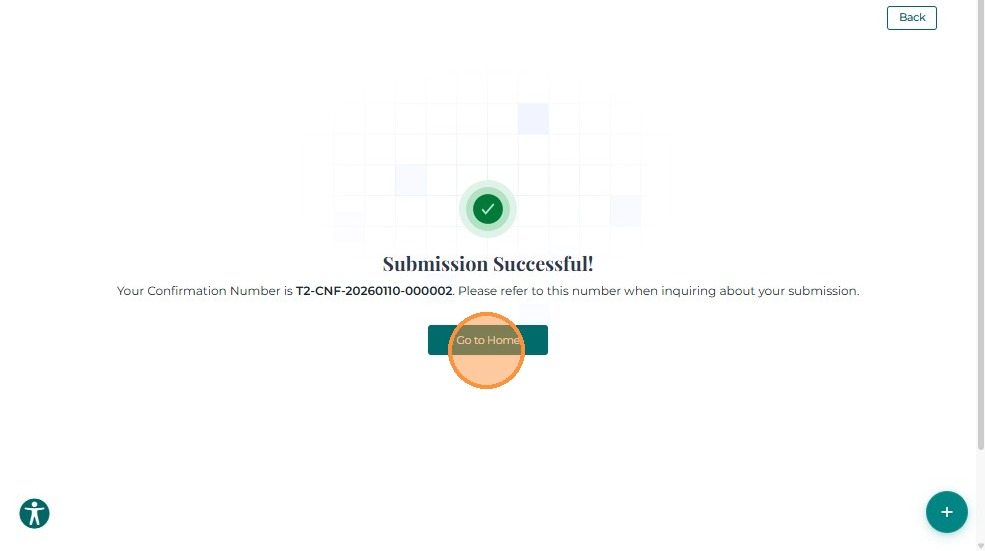
A confirmation number will appear on the screen. Record this number for reference if you need to follow up on the status of your request.