New User Registration
Create an account on the New Mexico Public Regulation Commission (NMPRC) Public Portal so you can submit and track filings, complaints, comments and records requests. Your answers during registration decide whether you become a Tier 1 or a Tier 2 user.
Anyone who does not yet have an account.
Have your email address, phone number and mailing address ready. If you will file anything other than a public comment, know which filing role describes you (see Choose Your User Type).
Open the Registration Form
-
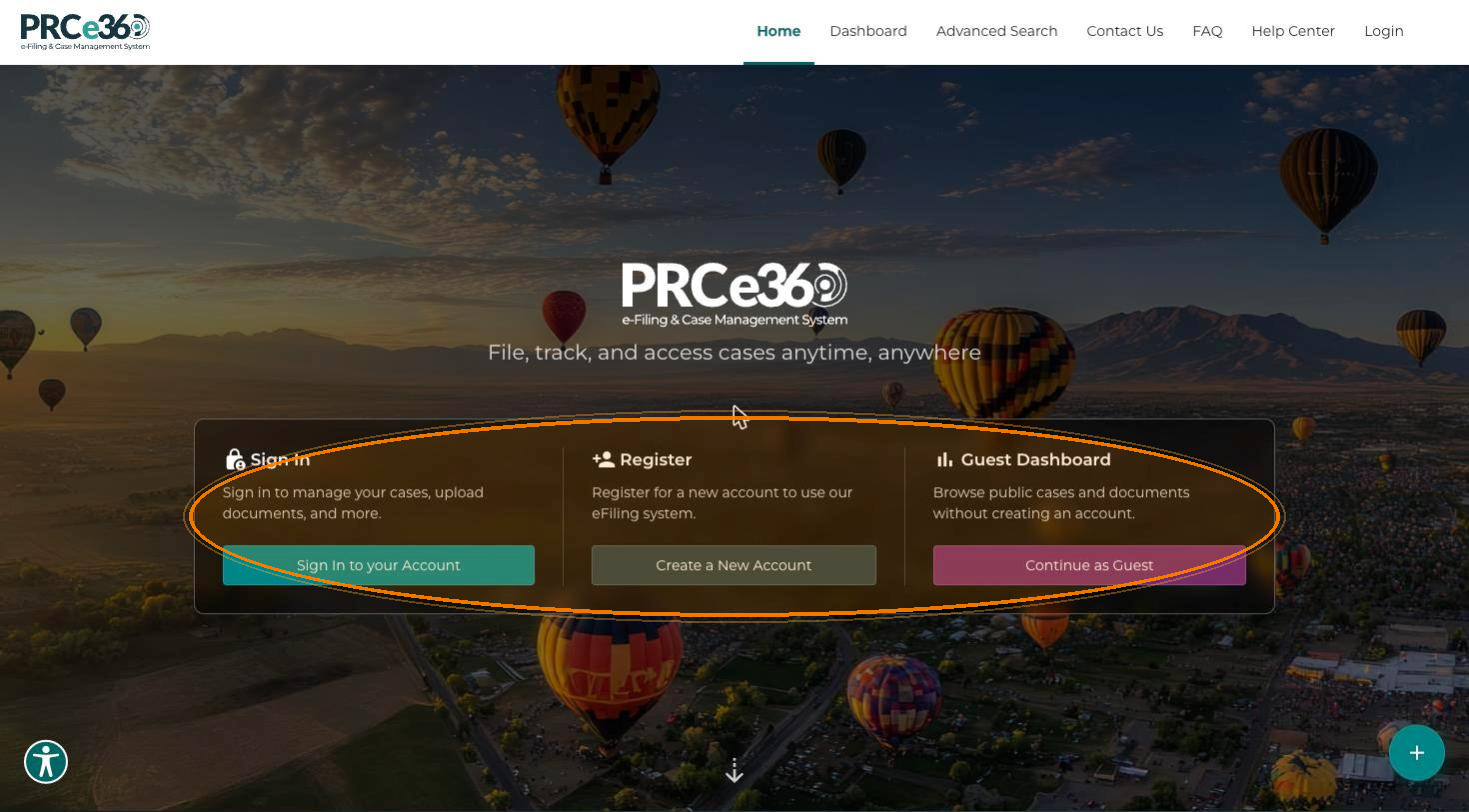
Open the portal. The landing page shows three options: Sign In, Register and Guest Dashboard.
-
On the Register card, click Create a New Account. The User Registration form opens.
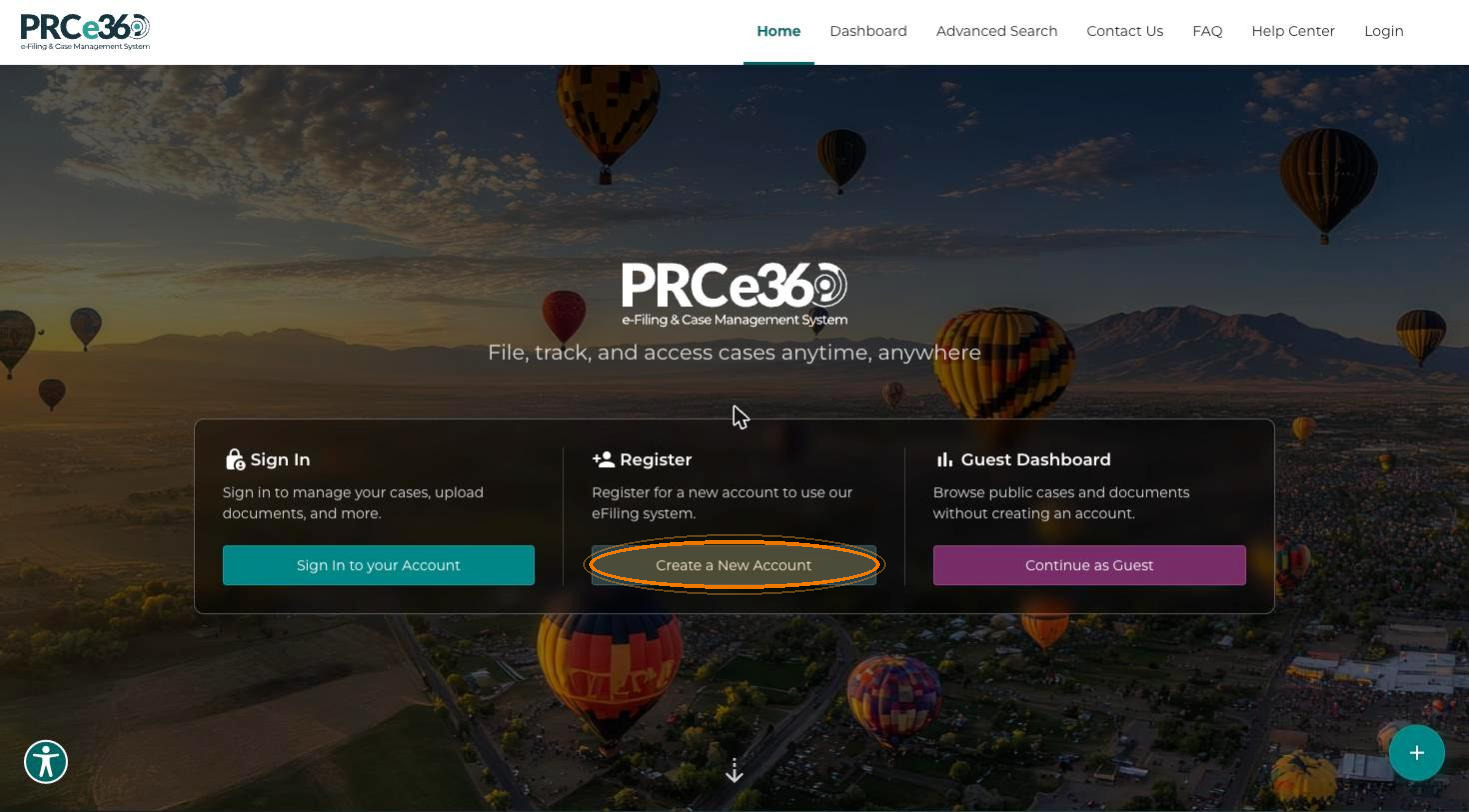
Once you are signed in, the portal skips this landing page and takes you straight to your Dashboard.
Complete the Registration Form
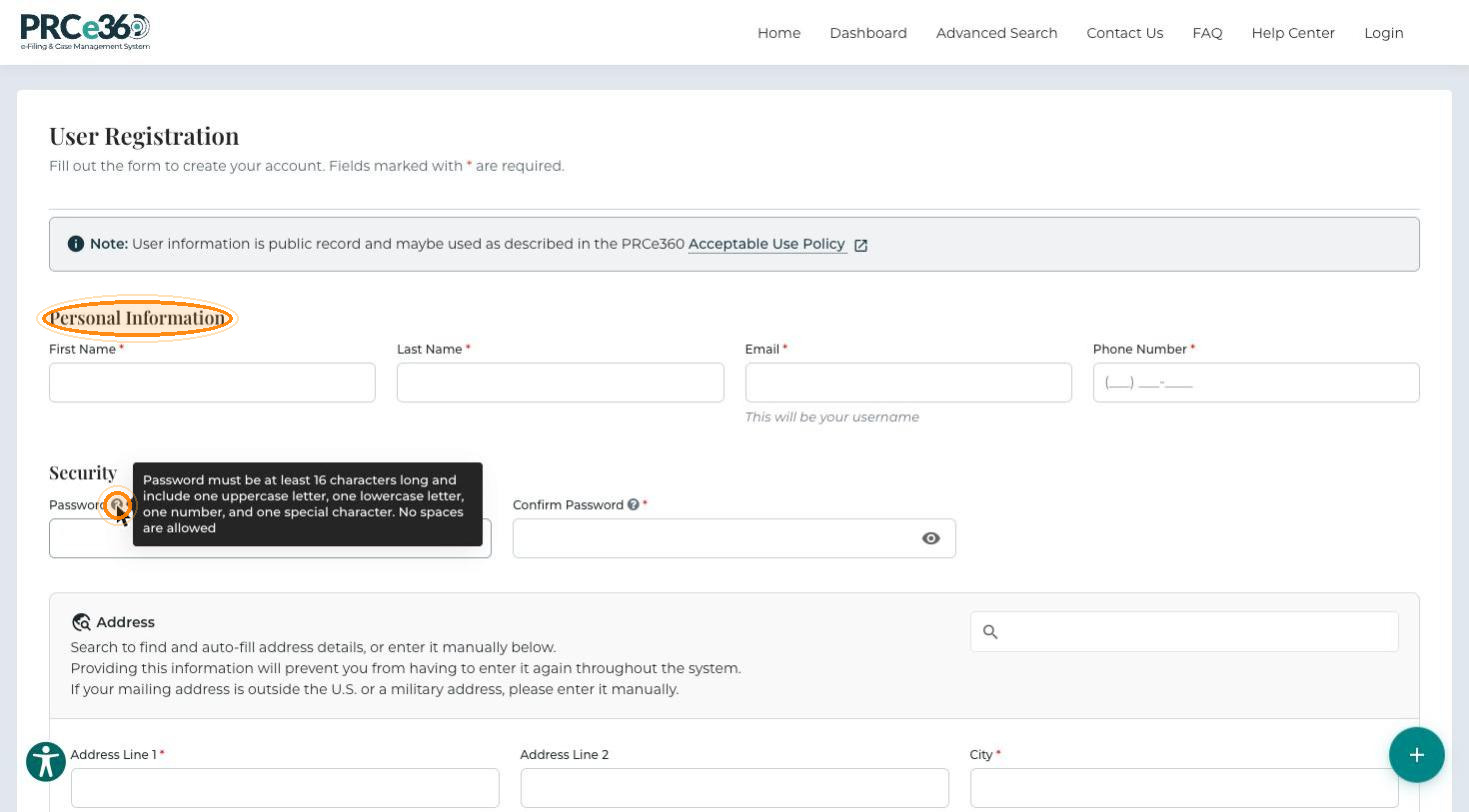
Fields marked with * are required. The form notes that user information is public record and may be used as described in the PRCe360 Acceptable Use Policy.
Personal Information
Enter your First Name*, Last Name*, Email* and Phone Number*. Your email address becomes your username.
Security
Enter a Password* and repeat it in Confirm Password*. Hover over the ? icon next to Password to see the rules. The password must:
- Be at least 16 characters long
- Include at least one uppercase letter, one lowercase letter, one number and one special character
- Not contain spaces
Click the eye icon in a password field to show or hide what you typed.
Address
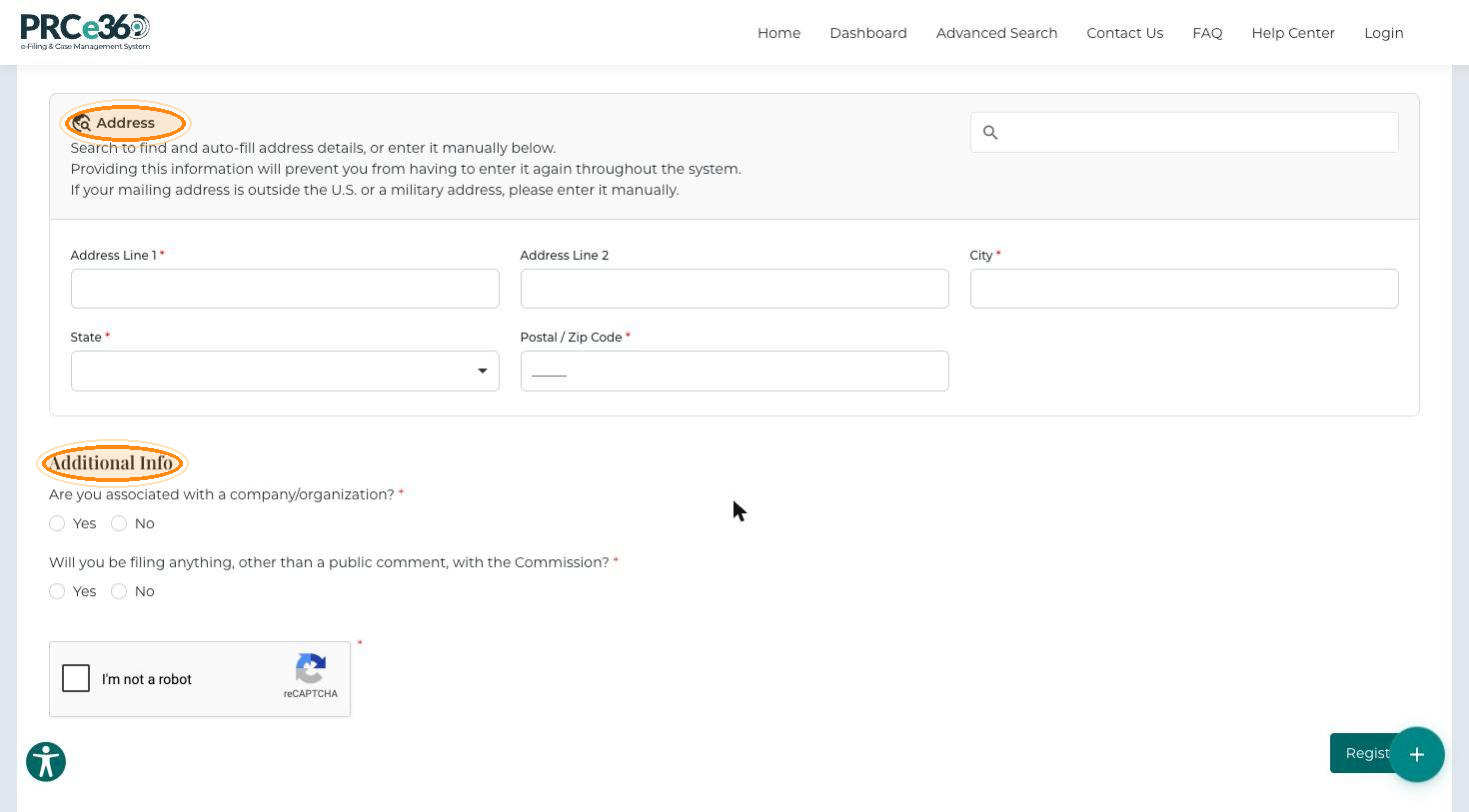
Search for your address in the search box to fill in the fields automatically, or enter it manually: Address Line 1, Address Line 2 (optional), City, State and Postal / Zip Code. If your mailing address is outside the U.S. or is a military address, enter it manually.
Company
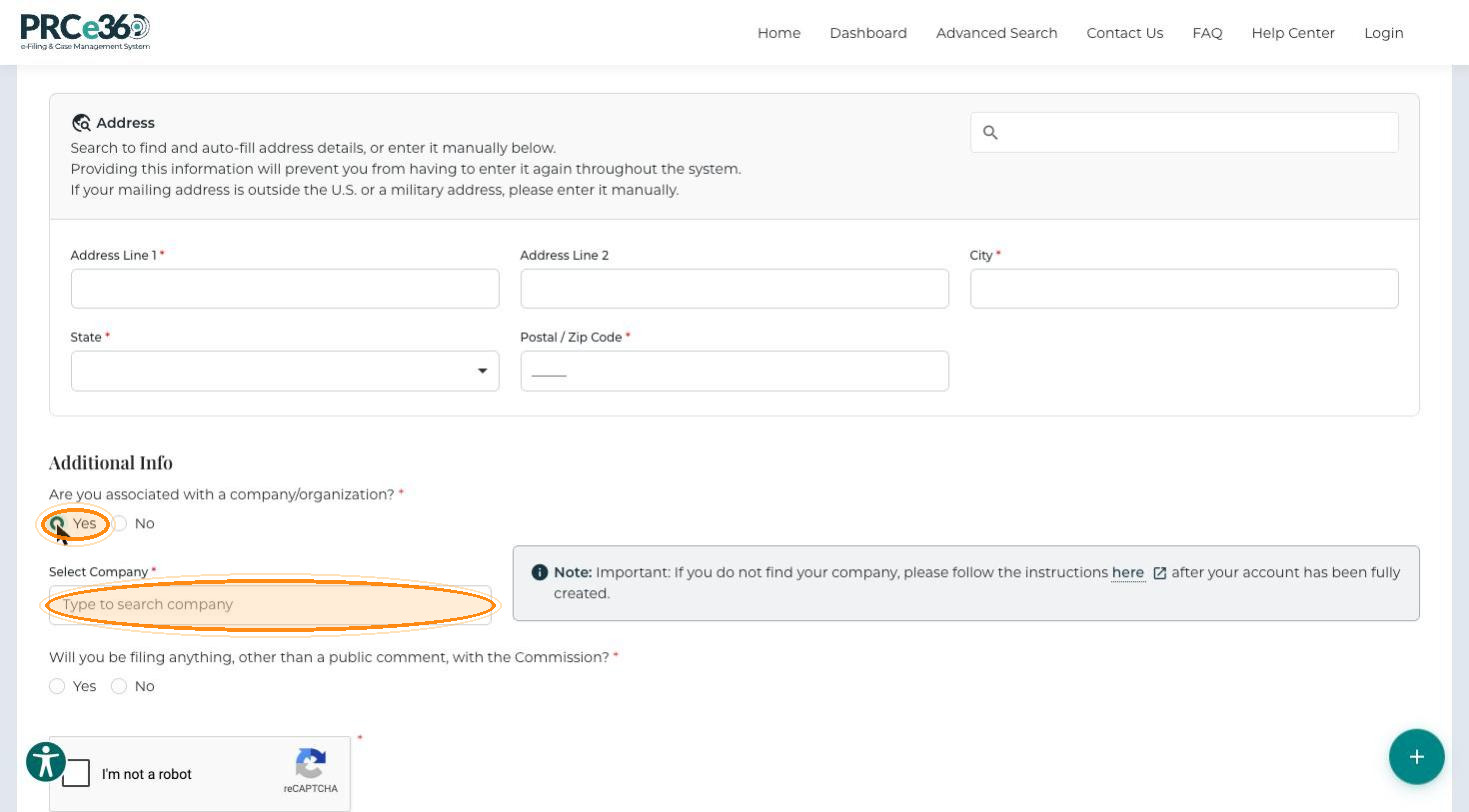
Answer Are you associated with a company/organization?
-
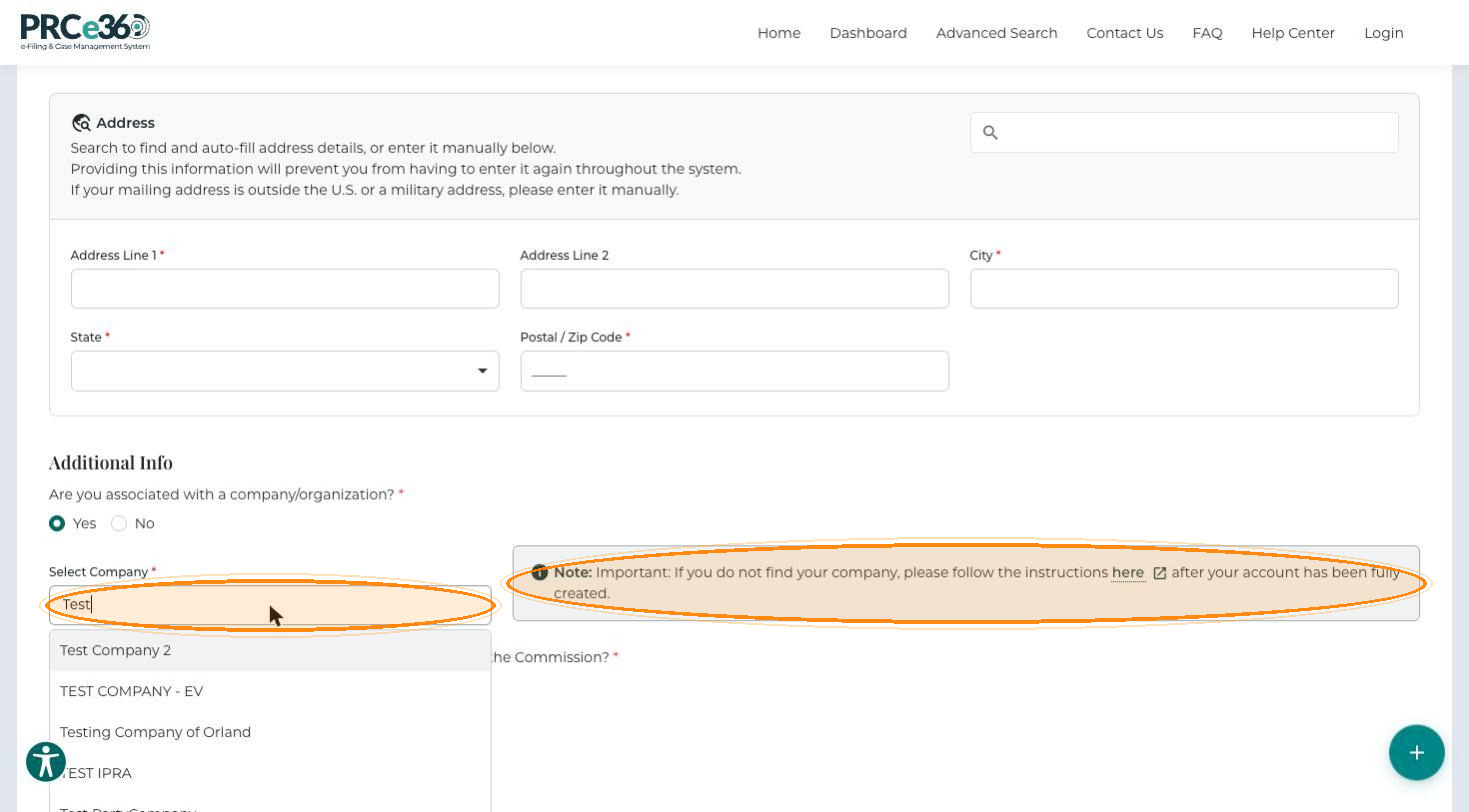
Yes – a Select Company field appears. Type to search for your company and select it. If you cannot find your company, follow the linked instructions after your account has been created.
-
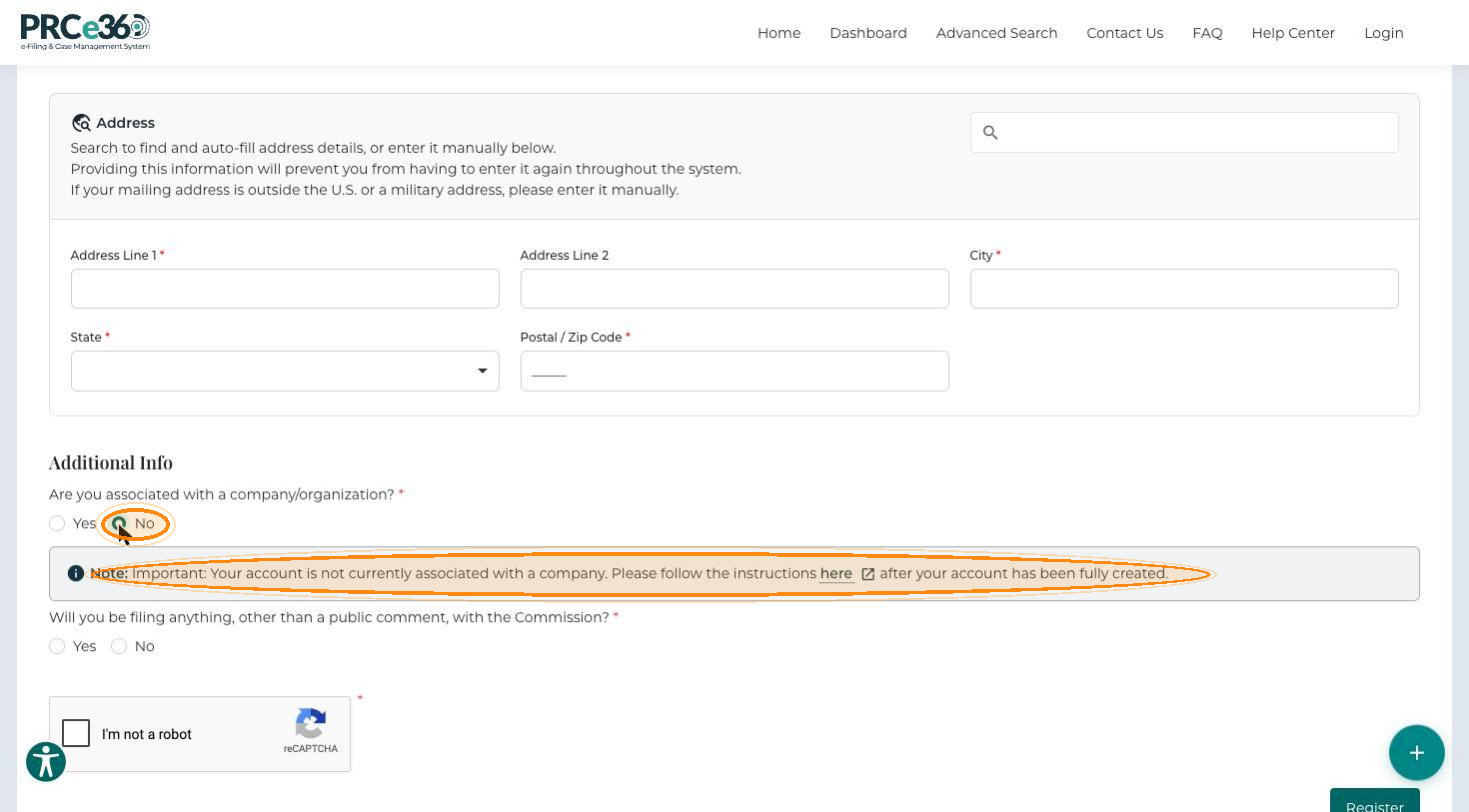
No – a note explains that your account is not associated with a company and links to instructions you can follow after your account has been created.
Choose Your User Type
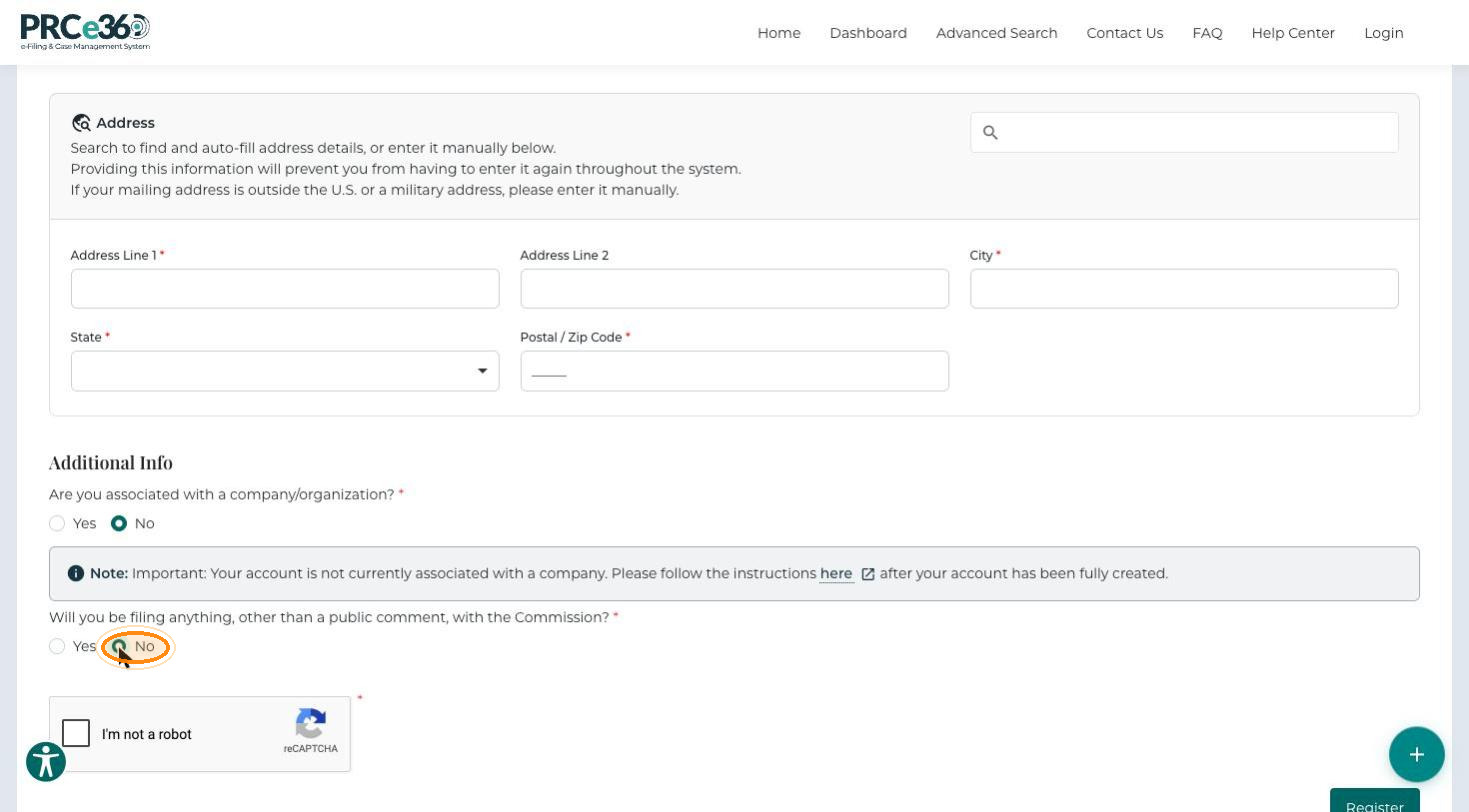
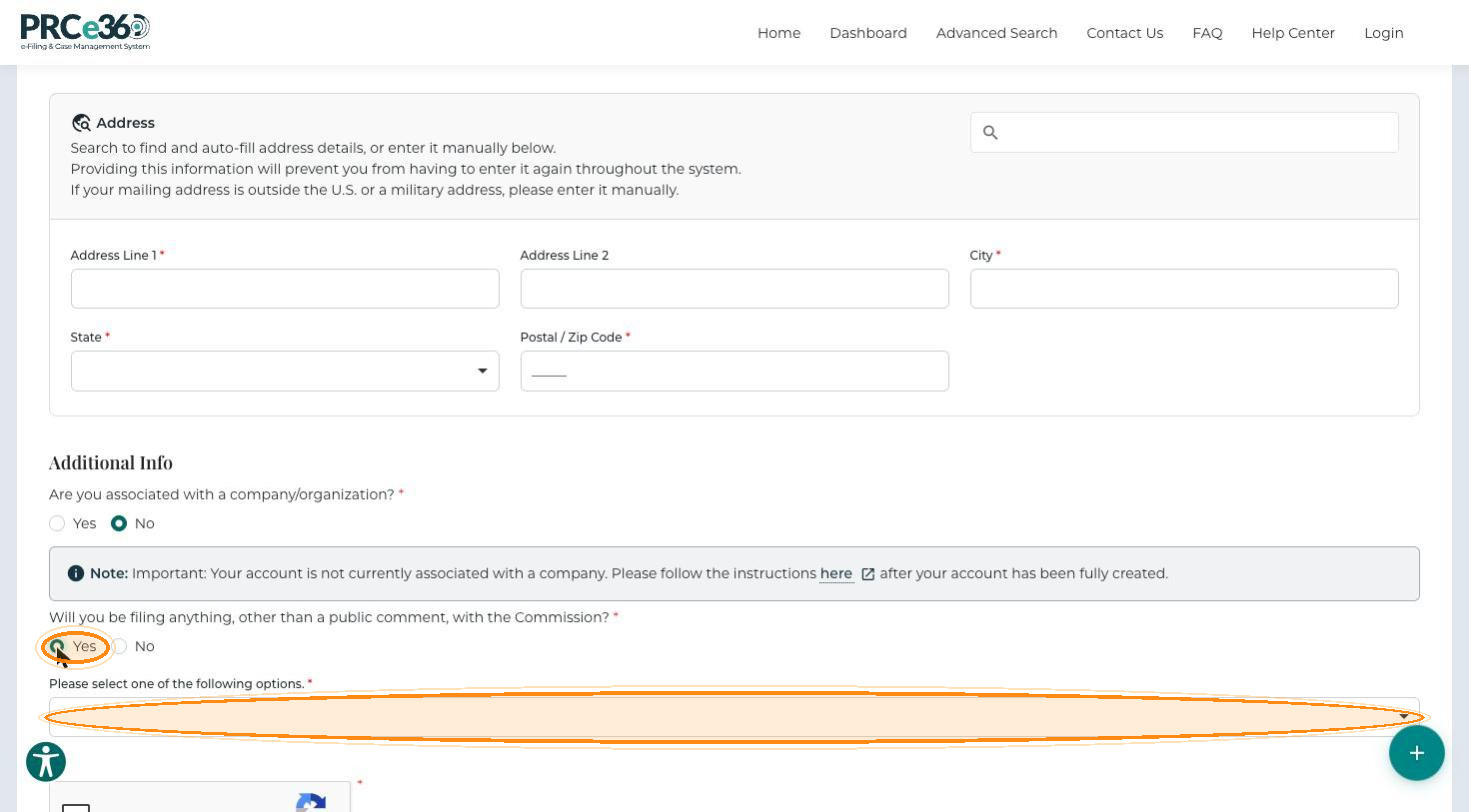
The portal has two user types, Tier 1 and Tier 2, based on filing permissions. Answer Will you be filing anything, other than a public comment, with the Commission?
-
No – you are registered as a Tier 1 user.
-
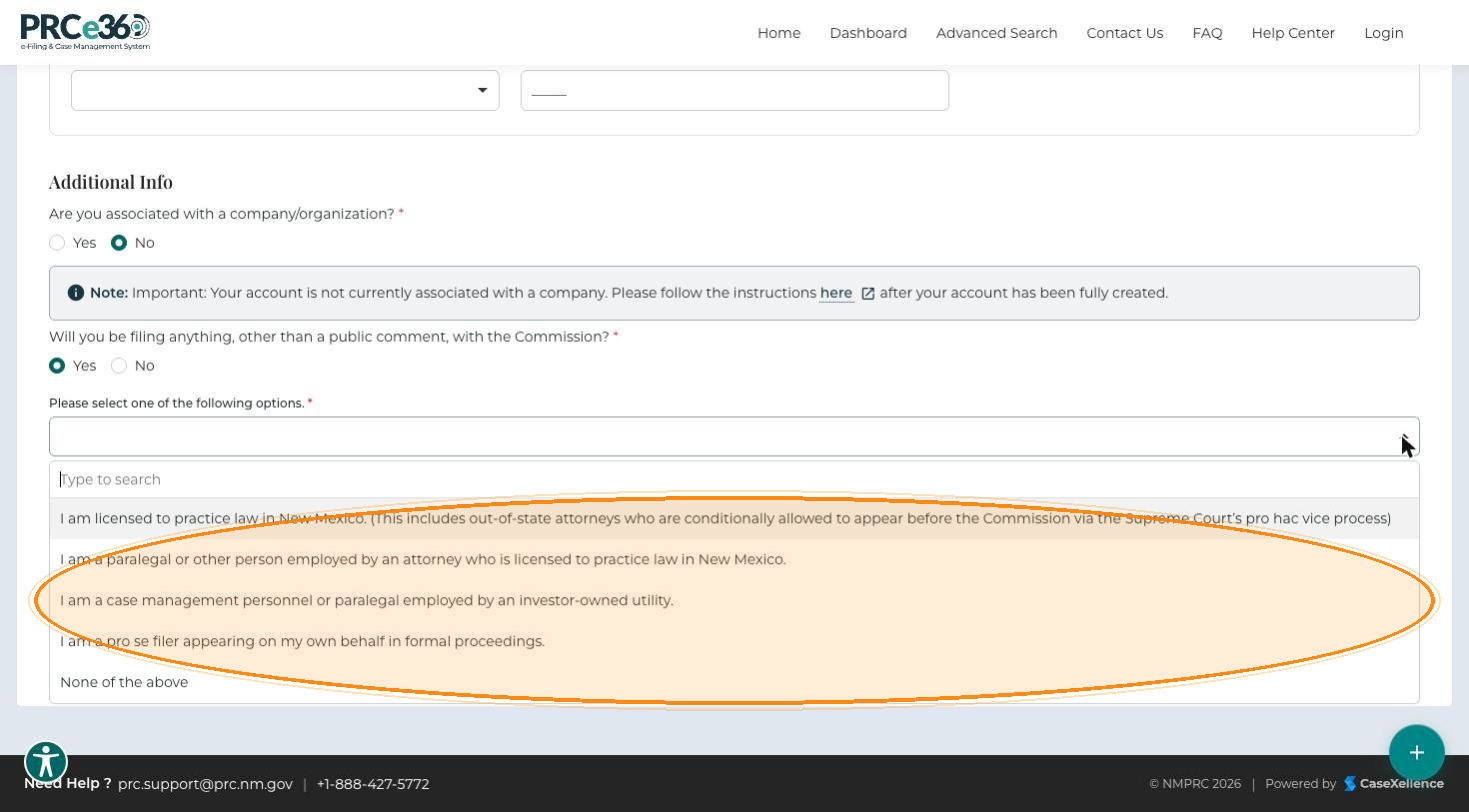
Yes – the Please select one of the following options. list appears. Select the option that describes you:
- I am licensed to practice law in New Mexico. This includes out-of-state attorneys conditionally allowed to appear before the Commission through the Supreme Court's pro hac vice process.
- I am a paralegal or other person employed by an attorney who is licensed to practice law in New Mexico.
- I am a case management personnel or paralegal employed by an investor-owned utility.
- I am a pro se filer appearing on my own behalf in formal proceedings.
- None of the above – registers you as a Tier 1 user.
Difference Between Tier 1 and Tier 2 Users
| Feature | Tier 1 user | Tier 2 user |
|---|---|---|
| View public comments | Yes | Yes |
| Submit public comments | Yes | Yes |
| Create rulemaking comments | Yes | Yes |
| File new dockets | No | Yes |
| File into existing dockets | No | Yes |
| Submit filings and documents | No | Yes |
| Dashboard access | Limited to public queues | Full access to personal and public queues |
Submit Your Registration
-
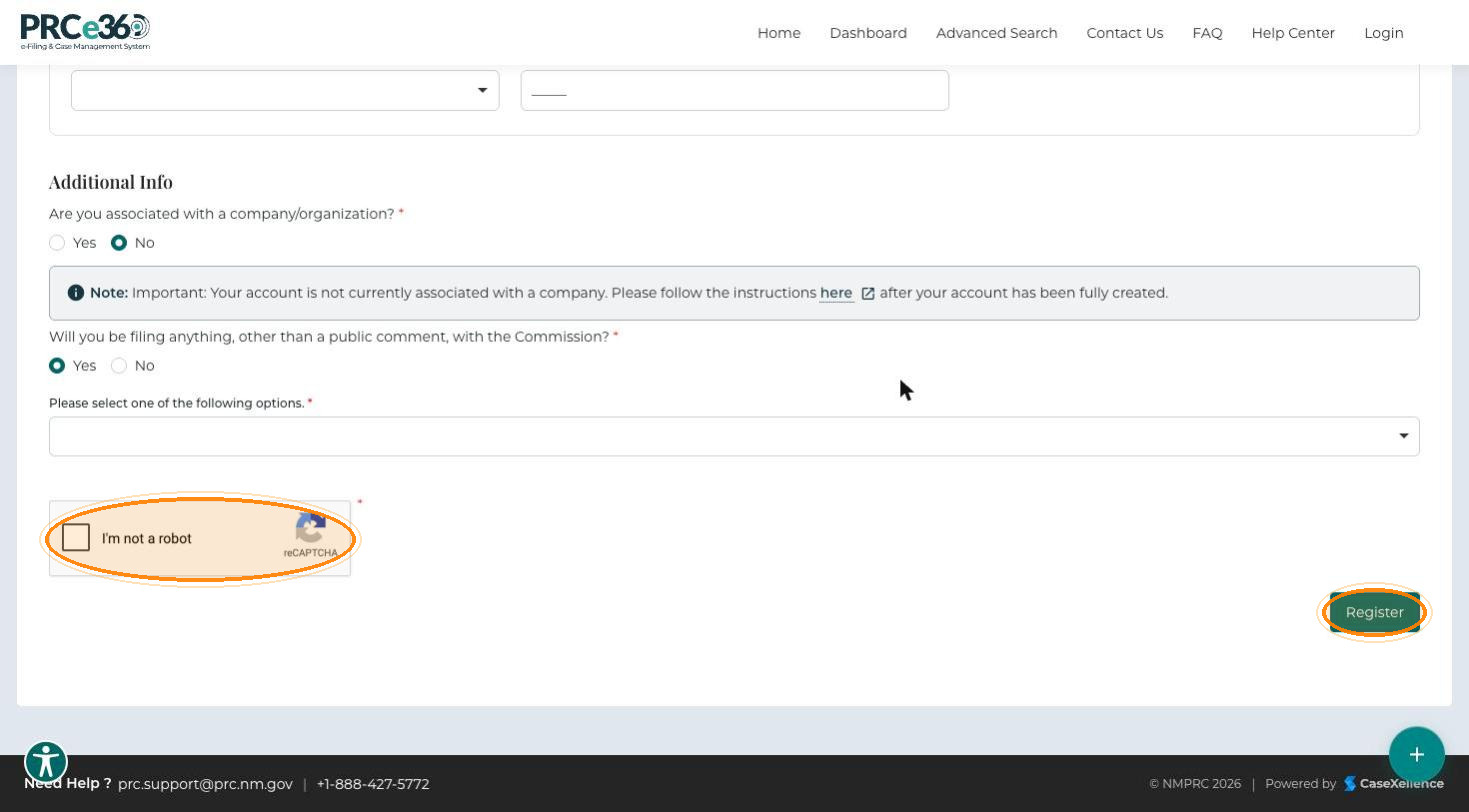
Select I'm not a robot.
-
Click Register.
What happens next depends on your user type:
| User type | Result |
|---|---|
| Tier 1 | You are taken to the sign-in page and can sign in straight away. |
| Tier 2 | Your Registration is Pending appears: your account is under review by the admin team. When it is approved, you receive an approval email with a link to the sign-in page. Click Go to Home to return to the homepage. |

Sign In
-
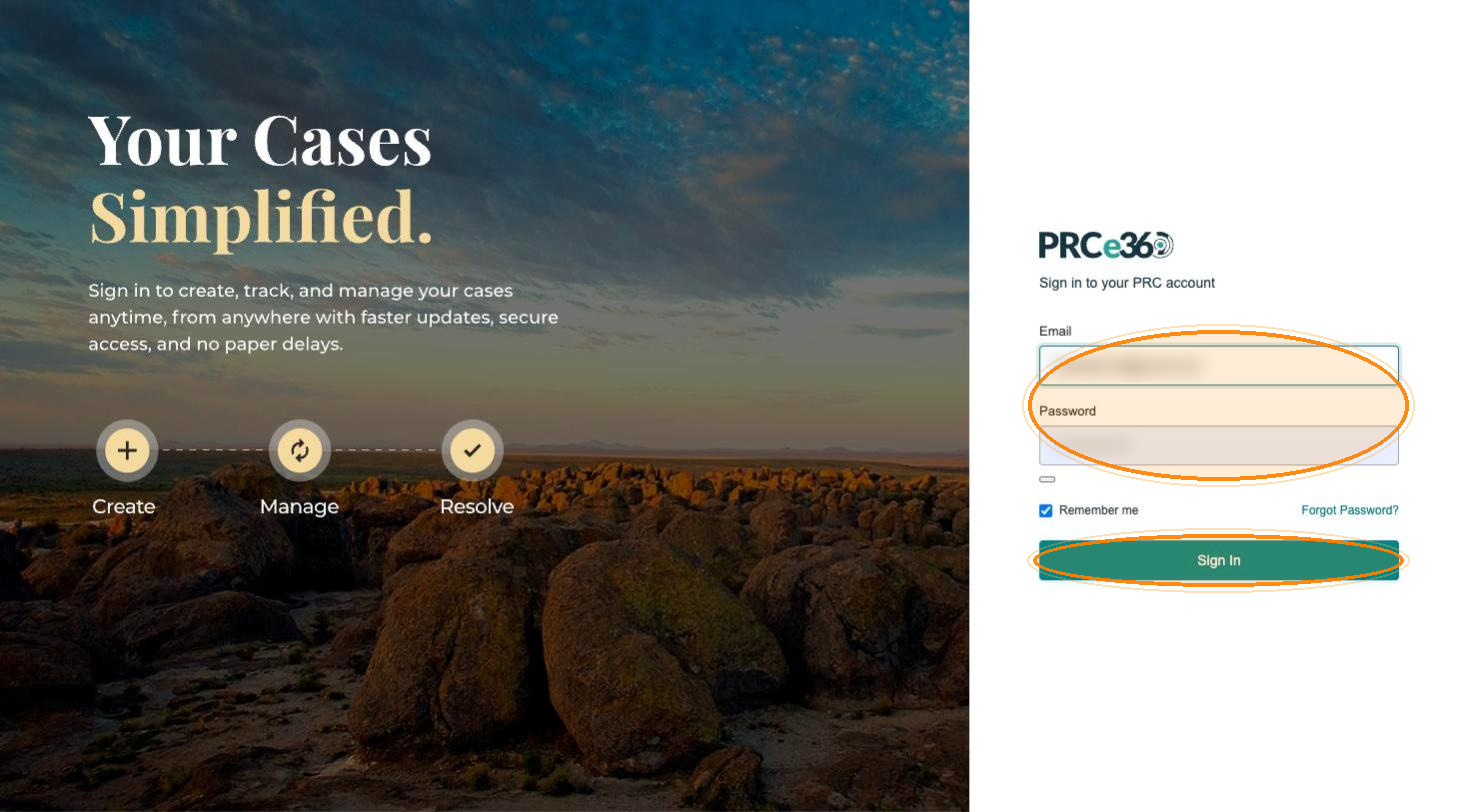
Open the sign-in page from your approval email link, or go directly to the portal and click Login.
-
Enter your Email and Password.
-
Click Sign In.
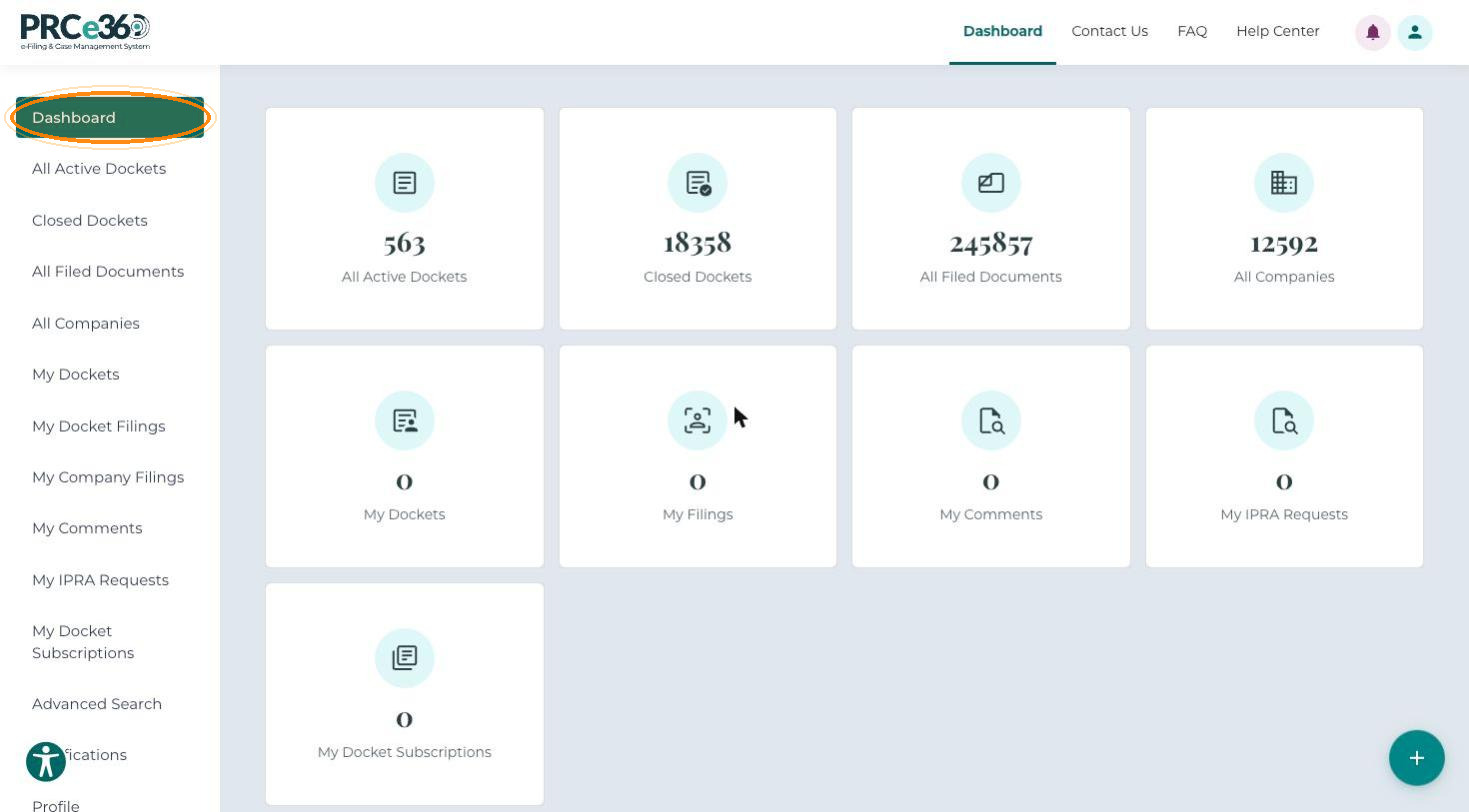
Your Dashboard opens, where you can manage your dockets, filings and comments.
What You Can Do Next
- Tier 1 users can straight away submit public comments, rulemaking comments, formal complaints and IPRA requests, and update their profile. To file dockets and manage companies, request Tier 2 access.
- Tier 2 users, once approved, can also submit new dockets, file into existing dockets and register companies.